A virtual office for your team.

An office connects people and computers by putting them in the same place. Conelink does the same, online.

We'll only email you about your invite.

Closed beta · Windows now, macOS later · invites go out in small groups
See it working

Closer to an office than to a meeting.

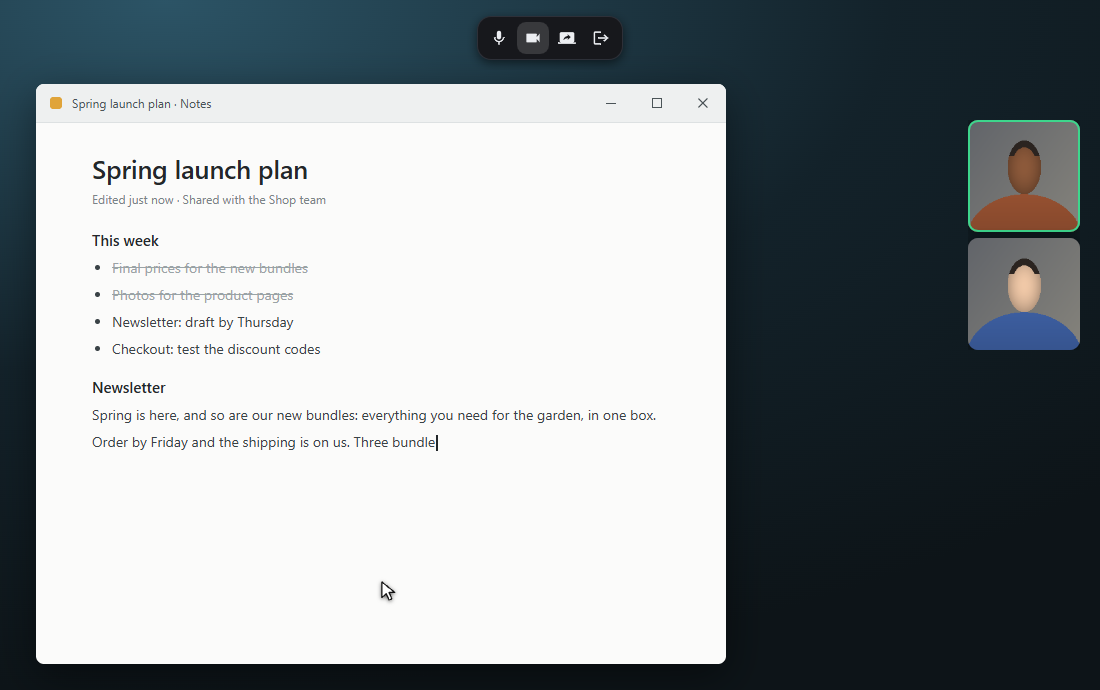
Conelink makes calls feel like working side by side, not like formal meetings. Sit down next to a teammate and work on the same problem, take turns on the same screen, or just keep an audio call open while each of you gets on with your own work.

  1. A minimal interface that leaves your screen, and your focus, to the work.

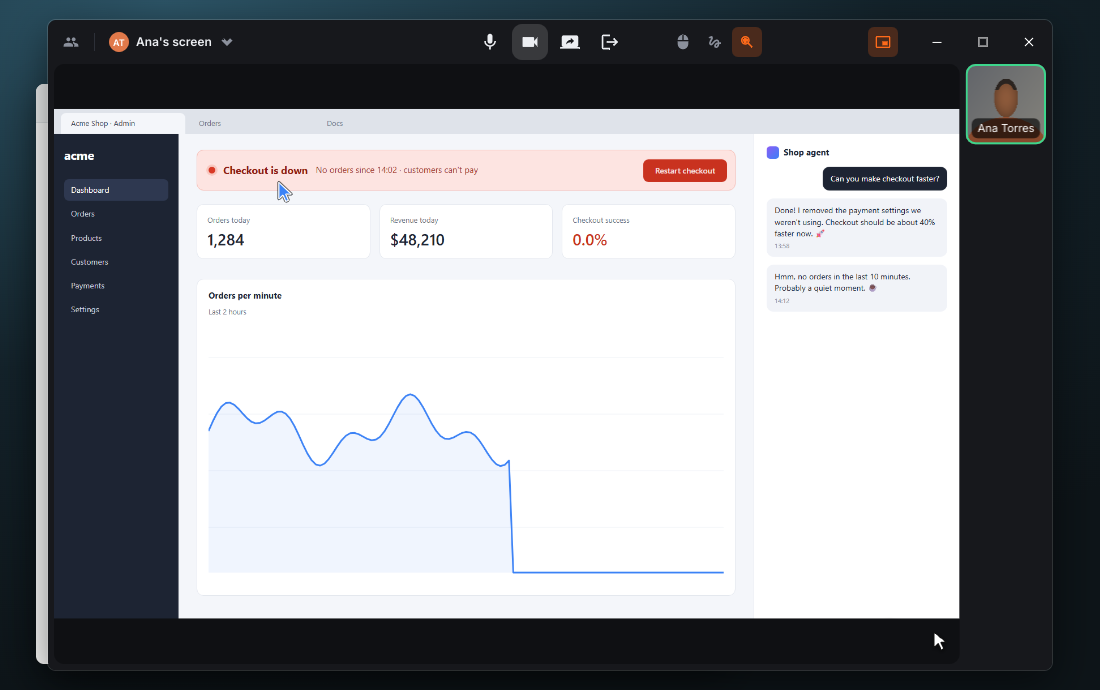
  2. Great audio and video, and shared screens that stay sharp down to the smallest text.

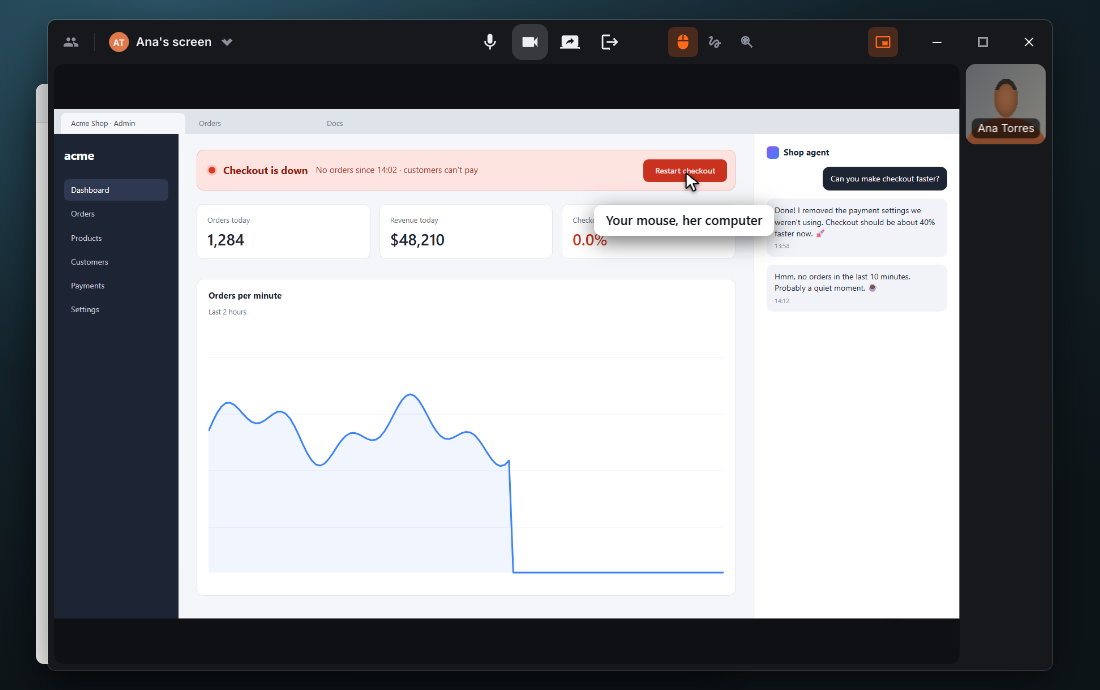
  3. Let a teammate take over your shared screen to help you, or take over theirs to help them.

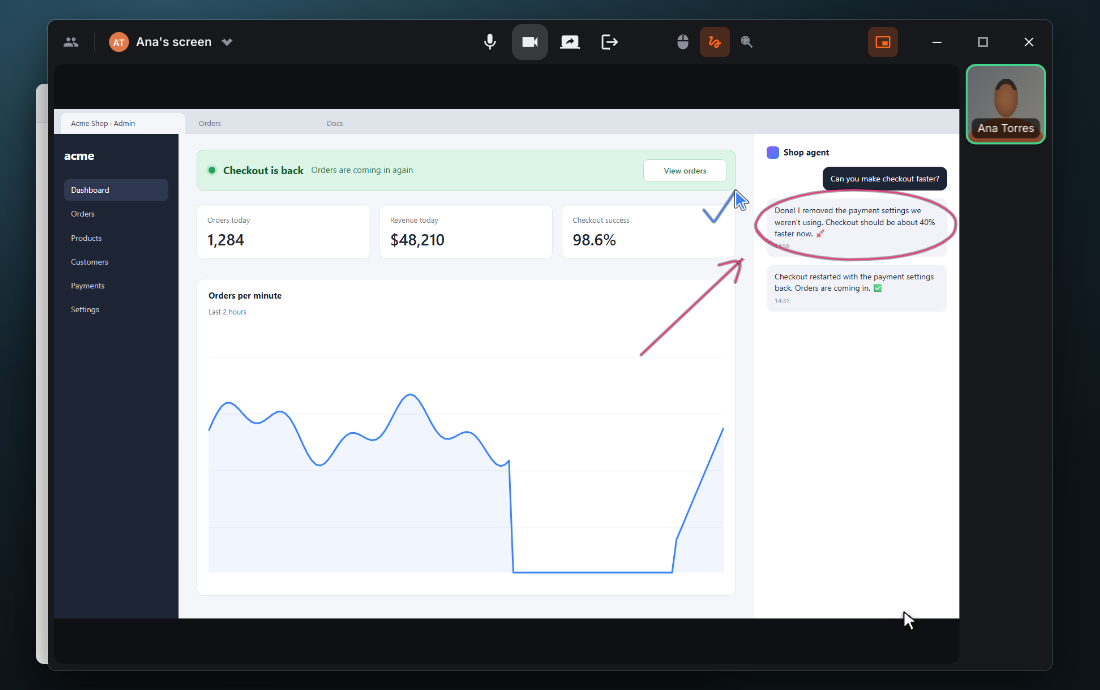
  4. Make your point, or show a new teammate how things work in your office.

A notes app with Conelink's small toolbar at the top and two webcams at the side: a call with Ana while you keep writing Conelink in single window mode: Ana's shared screen, her shop's admin page with checkout down Single window mode with take control on: your mouse clicks Restart checkout on Ana's screen Your circle and arrow drawn around the Restart checkout button on Ana's screen, and her tick next to it . The page around it scales .cl-stage with --k and listens for "cl-scene" events: {n, ms} when a scene starts, {n, done: true} when it ends. It is inert: nothing in it is for the visitor to use, and the windows make their canvases focusable, which would put four dead stops in the page's tab order. -->
Conelink's real interface, running in your browser. The team is made up.

A 5-minute Conelink session is worth an hour of boring chats.

“But this is just a video calling app.”

And Slack was just a chat. A chat with the focus and the pieces you need to run your office's conversations on it.

Conelink is just a video calling app. One with the focus and the pieces you need to use it not (just) for meetings, but for working together in real time.

The beta

Windows now, macOS before the public launch. Invites go out in small groups, and we'll write when yours is ready.

We'll only email you about your invite.